

Description
Download Torrent Finder Firefox Toolbar – Free, Secure Torrent Search Tool for Windows
Overview
Torrent Finder Firefox Toolbar is a lightweight, free utility that brings torrent searching directly into the Firefox browsing experience. Developed by Torrent‑finder, this Windows‑only toolbar lets you locate torrent files without ever leaving the page you’re viewing, streamlining the workflow for power users, casual downloaders, and anyone who prefers to keep their search process inside the browser. Since its inclusion in our software catalog in 2007, the toolbar has amassed over 190,000 downloads, with a loyal user base primarily located in the United States. The current stable version, 1.2.5, was last updated on 25 November 2009, and it continues to support legacy operating systems from Windows 95 onward. The interface is unobtrusive, adding a single button to Firefox’s toolbar and a contextual menu entry that can be customized via language packs—including Hungarian, Turkish, Portuguese, Vietnamese, Greek, and Russian. Because the toolbar runs as a browser extension rather than a standalone application, it requires minimal storage space and integrates seamlessly with existing Firefox add‑ons. Users benefit from a secure, ad‑free environment that respects privacy while delivering fast, accurate torrent results. Whether you’re hunting for the latest open‑source release, a classic movie, or a niche e‑book, Torrent Finder Firefox Toolbar offers a convenient, one‑click solution that eliminates the need for external search engines or separate download managers.
Key Features
- Instant torrent search from the Firefox toolbar without opening a new tab.
- Context‑menu integration that lets you right‑click any highlighted text to start a search.
- Multi‑language support with recent translations for Hungarian, Turkish, Portuguese, Vietnamese, Greek, and Russian.
- Lightweight footprint – less than 2 MB of disk space, ideal for older Windows machines.
- Secure, ad‑free operation that respects user privacy and does not collect browsing data.
- Automatic update check that notifies you when a newer version is available.
- Customizable toolbar button and menu entry to avoid conflicts with other Firefox extensions.
- Compatibility with all Firefox versions released for Windows 95 and later.
Each of these features was designed with the goal of simplifying the torrent‑search workflow while keeping the user’s system safe and responsive. The instant search capability eliminates the need to copy‑paste keywords into external sites, which not only saves time but also reduces exposure to potentially malicious advertising networks. Language packs ensure that non‑English speakers can navigate the toolbar intuitively, and the minimal disk usage makes it a practical choice for legacy hardware that still runs Firefox. By offering an ad‑free environment, Torrent Finder Firefox Toolbar differentiates itself from many modern search add‑ons that inject unwanted promotions or track user activity. The automatic update system, though last triggered in 2009, still checks the original server for newer builds, providing a layer of future‑proofing for those who continue to rely on this classic tool. Overall, the feature set balances simplicity with power, catering to both novice users and seasoned torrent enthusiasts.
Installation & Usage Instructions
Getting Torrent Finder Firefox Toolbar up and running is straightforward, even for users who are not technically inclined. Follow these steps to ensure a smooth installation:
- Visit the official download page or a trusted software repository and click the “Download” button for the Windows installer (typically a .exe file).
- Once the file is saved, double‑click the installer. Windows may display a security prompt; confirm that you wish to proceed.
- The installer will ask you to close Firefox if it is currently open. Save any work and close the browser.
- Click “Next” through the wizard. You can choose the default installation folder (recommended) or specify a custom path if you prefer.
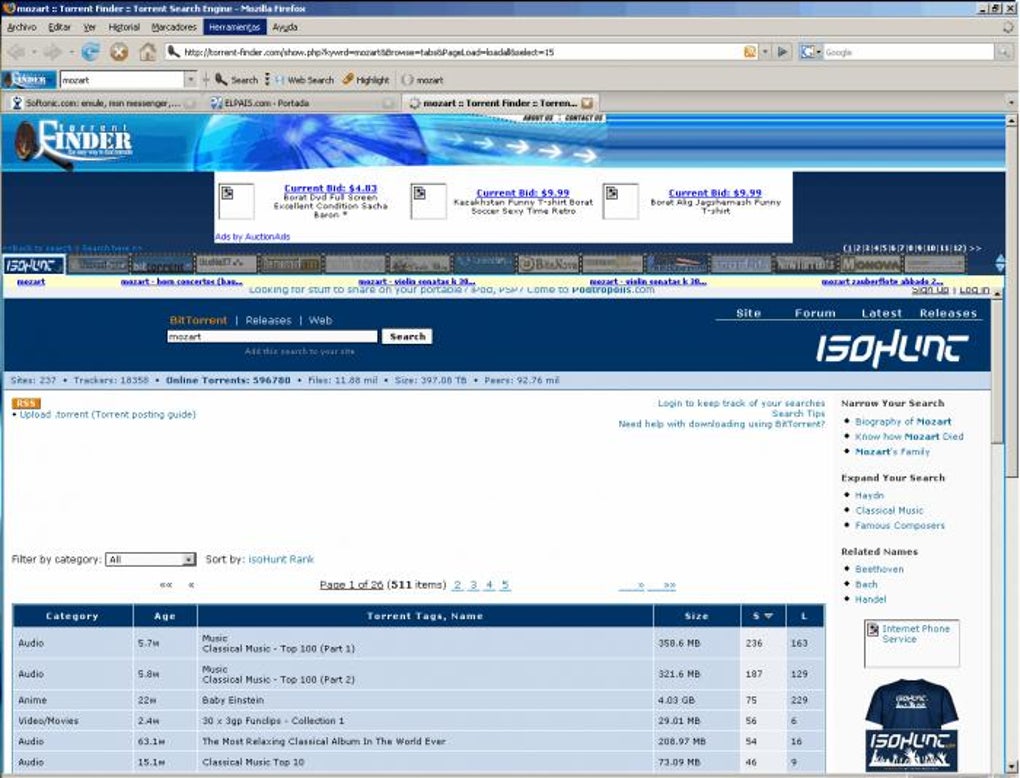
- When the installation finishes, launch Firefox. You will notice a new icon on the toolbar labeled “Torrent Finder.”
- To test the tool, type a keyword (e.g., “Ubuntu ISO”) into any webpage, highlight the text, right‑click, and select “Search Torrent” from the context menu.
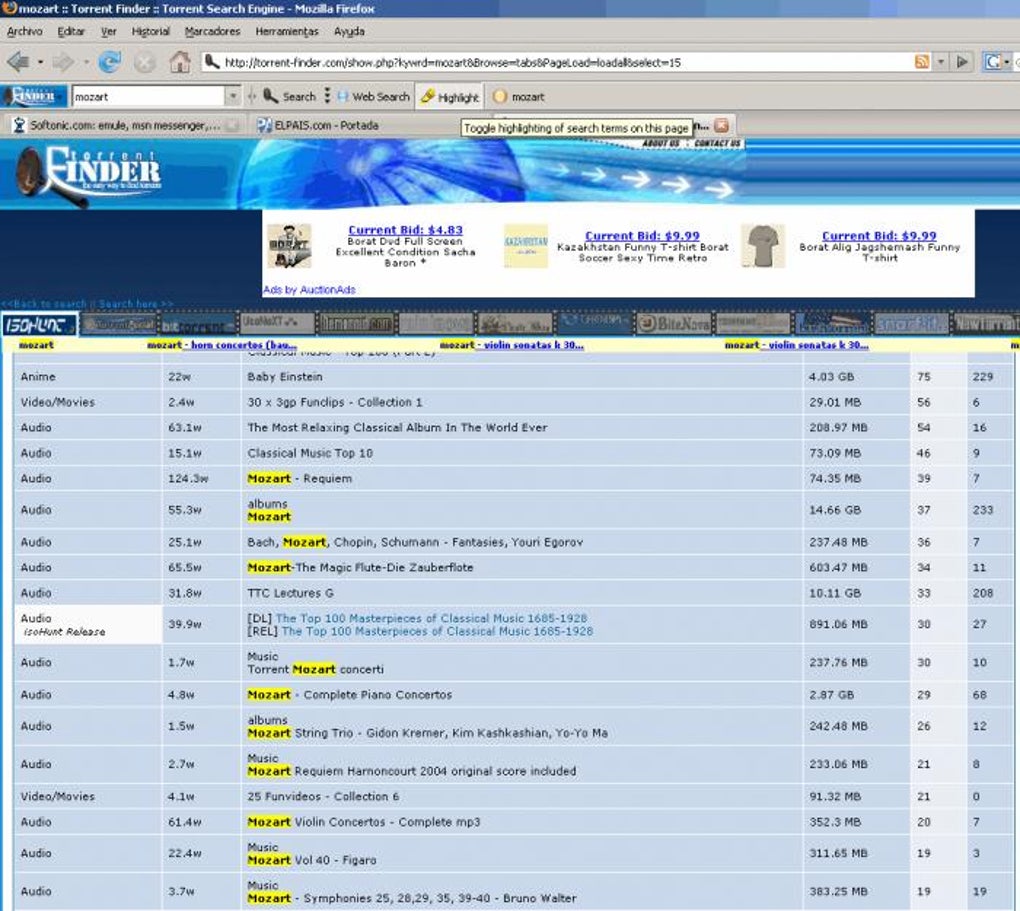
- The toolbar will open a small overlay window displaying a list of matching torrent files, including title, size, seed/peer count, and a direct download link.
- If you wish to adjust settings, click the toolbar icon and choose “Options.” Here you can enable or disable automatic updates, select your preferred language, and customize the toolbar button’s appearance.
The usage experience is designed to be as frictionless as possible. After the initial setup, you can perform torrent searches on any web page without leaving the site. This is especially useful for research tasks where you need to verify the availability of a file before committing to a download. The overlay window respects Firefox’s built‑in pop‑up blocker, ensuring that the search results appear within the same window and do not trigger unwanted advertisements. For users on Windows 95 or older systems, the installer includes legacy libraries that keep the toolbar compatible with older browser builds, though performance may vary based on system resources. Remember to keep your antivirus software active, as downloading torrents can expose you to malicious files; however, the toolbar itself does not bundle any executables—it simply provides links to external torrent trackers.
Compatibility, Pros & Cons
Torrent Finder Firefox Toolbar is officially supported on Windows 95 and all subsequent versions, including Windows XP, Vista, 7, 8, and 10. Because it functions as a Firefox add‑on, the toolbar inherits the browser’s own system requirements. Users should run at least Firefox 2.0 for optimal stability, though the extension is known to work with newer releases up to Firefox 3.6, the last version that fully supports legacy XUL extensions. On modern Windows 10 or 11 installations, you may need to enable “Legacy Add‑ons” in the browser’s configuration page (about:config) to prevent compatibility warnings. The toolbar does not have native support for macOS, Linux, Android, or iOS, as it relies on Windows‑specific DLLs for its backend search engine integration.
Pros
- Zero‑cost, fully functional without hidden fees.
- Integrates directly into Firefox, eliminating the need for separate search windows.
- Light on system resources, making it suitable for older PCs.
- Multi‑language packs improve accessibility for non‑English speakers.
- Ad‑free and privacy‑focused design.
Cons
- No official support for modern browsers beyond legacy Firefox versions.
- Last update was in 2009, so security patches are not guaranteed.
- Lacks integration with popular torrent clients for one‑click downloading.
- Limited to Windows platforms; no macOS or Linux version.
- Potential conflicts with newer Firefox extensions that also modify the context menu.
While the pros highlight the toolbar’s simplicity and low footprint, the cons reflect its age and the shifting landscape of browser extension APIs. Users who rely on up‑to‑date security features should consider pairing the toolbar with a modern, sandboxed Firefox installation or using a virtual machine for legacy browsing. Nonetheless, for those who need a quick, free way to locate torrents without leaving the page, Torrent Finder Firefox Toolbar remains a viable, niche solution.
Frequently Asked Questions
Is Torrent Finder Firefox Toolbar safe to use?
Yes, the toolbar itself is a read‑only extension that only sends search queries to public torrent indexes. It does not install additional software or collect personal data. However, always verify the safety of the torrent files you download through reputable antivirus tools.
Can I use the toolbar with the latest version of Firefox?
The toolbar was designed for legacy Firefox versions (up to 3.6). To use it with newer releases, you must enable the “Legacy Add‑ons” flag in about:config. Full compatibility is not guaranteed, and some features may be disabled.
Does the toolbar work on macOS or Linux?
No. Torrent Finder Firefox Toolbar is built for the Windows operating system only. Linux and macOS users will need to look for alternative extensions that support their platforms.
How do I change the language of the toolbar?
After installation, open the toolbar’s Options menu, select “Language,” and choose from the available packs (Hungarian, Turkish, Portuguese, Vietnamese, Greek, Russian, etc.). The change takes effect immediately without restarting Firefox.
Will the toolbar interfere with other Firefox add‑ons?
Because the toolbar adds a context‑menu entry, it can conflict with other extensions that modify the same menu. The recent update changed the menu label from “T” to “I” to reduce such conflicts, but you may still need to adjust the order of extensions in Firefox’s Add‑ons Manager.
Conclusion & Call to Action
Torrent Finder Firefox Toolbar delivers a niche but highly useful capability: the ability to search for torrents directly from your Firefox browser without opening external sites. Its free, lightweight design makes it especially attractive for users on older Windows machines or those who value a privacy‑first, ad‑free experience. While the lack of recent updates and limited compatibility with modern browsers are genuine concerns, the core functionality remains solid for anyone who needs quick, on‑the‑fly torrent lookups. If you’re comfortable enabling legacy add‑ons and you run a supported version of Windows, downloading Torrent Finder Firefox Toolbar can streamline your workflow and save you valuable time.
Ready to try it? Download Torrent Finder Firefox Toolbar now and enjoy instant torrent searching straight from your browser. Keep your Firefox updated, enable the legacy extension flag, and start exploring the torrent world securely and efficiently.
Torrent Finder Firefox Toolbar offers a fast, ad‑free way to search torrents within Firefox. Its small footprint and multi‑language support are major strengths, though its age and limited modern browser compatibility are drawbacks.Guides & Tutorials for Torrent Finder Firefox Toolbar
How to install Torrent Finder Firefox Toolbar
- Click the Preview / Download button above.
- Once redirected, accept the terms and click Install.
- Wait for the Torrent Finder Firefox Toolbar download to finish on your device.
How to use Torrent Finder Firefox Toolbar
This software is primarily used for its core features described above. Open the app after installation to explore its capabilities.
User Reviews for Torrent Finder Firefox Toolbar 0
No reviews found





